what does impressions mean on linkedin - Quick Guide
Discover what does impressions mean on linkedin and how to use it ethically to boost visibility, engagement, and professional growth.

So, what exactly is a LinkedIn impression?
Put simply, it's a single instance of your post being shown on someone's screen. They don’t have to stop scrolling, click, or even notice it. If it appears in their feed as they browse, that’s one impression.
Think of it like a digital billboard. Every car that drives by "sees" it, even if the driver doesn't pay close attention. Each of those passes is an impression.
Decoding Your LinkedIn Visibility
Understanding what impressions mean on LinkedIn is the first step to figuring out how visible your content actually is. It’s the foundational metric that tells you how many times LinkedIn put your content in front of its members. It's just a simple count, but everything else—likes, comments, and shares—starts from here.
Impressions are all about potential. Each one is a chance for someone to discover your profile, learn from your expertise, or get to know your brand. The more impressions you rack up, the wider your net is cast.
Why This Metric Matters
If you don't have a solid number of impressions, your message simply can't reach the right people. This number is a direct reflection of how well the LinkedIn algorithm is distributing your content. For a wider view on this, it's helpful to review the basics of understanding social media impressions across different networks.
The number of impressions you can expect often grows with your network. For example, users with fewer than 500 connections typically see between 200 to 800 impressions per post. Those with bigger networks can, of course, hit much higher numbers. This gives you a decent benchmark to see how you're doing.
An impression is the very first touchpoint in your content's journey. It’s the initial spark of awareness that can lead to deeper connections and opportunities. Every view, click, and comment begins as a single impression.
To clear up any confusion right from the start, let's break down how impressions stack up against other common LinkedIn metrics.
LinkedIn Metrics at a Glance: Impressions vs. Reach vs. Views
It's easy to get these terms mixed up, but they each tell a very different story about your content's performance. Here’s a quick-and-dirty comparison.
| Metric | What It Measures | Example |
|---|---|---|
| Impressions | The total number of times your content was displayed on screen. One person could see it multiple times. | Your post is shown 500 times in total. |
| Reach | The number of unique people who saw your content. | 350 individual people saw your post. |
| Views | The number of times people click to watch your video (for at least 3 seconds) or read your article. | 50 people clicked to watch your video. |
In short: Impressions count every single showing, Reach counts unique eyeballs, and Views count intentional clicks on specific content like videos or articles. They all work together to give you a full picture of who’s seeing your stuff.
Impressions vs. Reach: What's the Real Difference?
It’s easy to get impressions and reach mixed up. I see it all the time. But telling them apart is essential if you want to build a smart, effective LinkedIn strategy. Think of them as two sides of the same coin; together, they tell the full story of your content's visibility.
Impressions count the total number of times your content was displayed on someone's screen. If one person sees your post in their feed, then sees it again when a colleague shares it, that’s two impressions. It's a raw measure of total exposure.
Reach, on the other hand, measures the number of unique people who saw your content. In that same scenario, that person only counts as one person reached. Reach tells you how wide your net is being cast.
Visualizing the Difference in Metrics
To make this crystal clear, here’s a simple visual that shows how these key LinkedIn metrics build on each other.
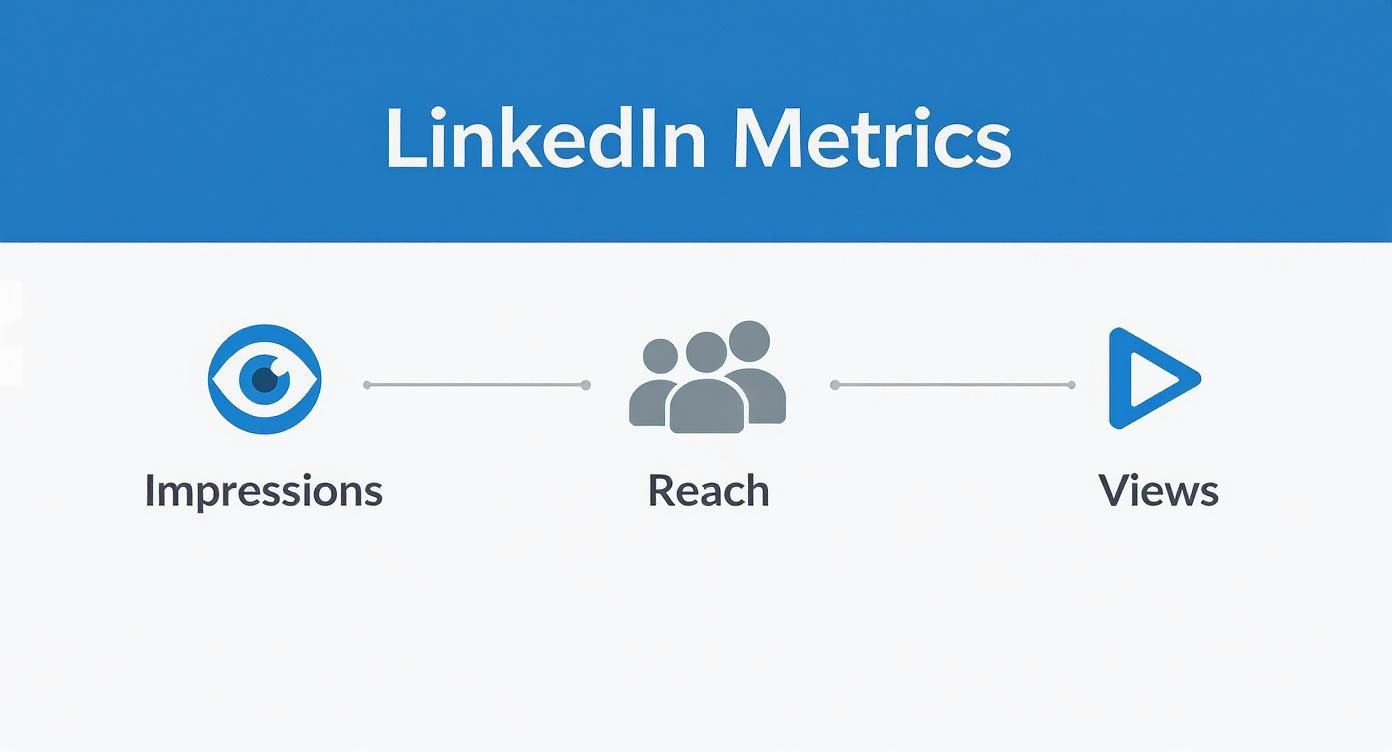
This map shows impressions as the broadest measure of visibility. From there, you narrow down to the unique individuals you've reached, and finally, the specific actions they take (like views).
So, why get hung up on this distinction? Because a high impression count with very low reach can be a major red flag.
This pattern often means your content is being shown repeatedly to the same small group of people. While they might be loyal followers, it’s a sign your message isn't breaking out into new networks or reaching fresh eyes.
Understanding this balance is the key to real growth. You want both high impressions and a growing reach. For a deeper dive, this article on the core differences between reach and impressions is a great read.
Ultimately, keeping an eye on both metrics helps you diagnose your content's performance. It shows you whether you’re just talking to the same audience on repeat or actually succeeding in expanding your influence across LinkedIn.
How to Find and Understand Your Impression Data
Alright, so you know what impressions are. Now it's time to actually find your own data and make sense of it. The good news is that LinkedIn makes this pretty straightforward, whether you're looking at your personal profile or a Company Page.
For any of your personal posts, just look right below the content you shared. You’ll spot a little graph icon next to a number labeled "Impressions in the feed." This gives you a quick, post-by-post snapshot of how many times it's been seen. Simple as that.
Locating Your Analytics
But for a much deeper dive, especially if you're managing a Company Page, you'll want to head into the main analytics dashboard. This is where LinkedIn pulls all your performance data together, offering much richer insights.
- Go to your Company Page: Just navigate to the page you manage.
- Select the "Analytics" tab: You'll see it right in the top menu.
- Choose "Updates": This section is dedicated to the performance of all your shared content.
In here, you'll get a graph that tracks your impressions over time. It’s perfect for spotting trends and seeing which content pieces are really taking off at a glance.
This is the kind of visual data that tells you what’s hitting the mark with your audience, helping you double down on what works and rethink what doesn't.
Interpreting the Numbers
Finding the data is just the first step. The real magic happens when you start to understand what it's telling you. So, is 500 impressions good? Honestly, it depends. The number is meaningless without context like your follower count, your industry, and how active your network is.
A much better way to think about it is to track your own average and aim for steady growth over time.
Don’t just get hung up on the raw number. A smarter move is to calculate your "impression rate" by dividing your total impressions by your number of followers. This percentage gives you a consistent benchmark to measure your performance against yourself over time.
Tracking these metrics is the first step toward creating content that genuinely connects with people. For more tips on sharpening your LinkedIn game, check out the other resources on the Contentide blog.
Why Impressions Are the Foundation for Growth
It’s easy to dismiss impressions as just another "vanity metric," but that’s a huge mistake. Think of them less as a score and more as the essential first step for every single opportunity you'll ever get on LinkedIn. Impressions are the bedrock you build your entire professional presence on.
Every time someone sees your name or company in their feed, it’s a tiny deposit in their mental bank. These micro-interactions build familiarity and brand recall. This is top-of-funnel visibility at its purest—attracting potential clients, partners, or future employers long before they even know they need you.
After all, every meaningful action—a like, a comment, a DM, a connection request—has to start somewhere. It starts with a single impression. Without that initial visibility, your best ideas and deepest expertise simply don't exist to the outside world. When you focus on earning impressions by sharing real value, this metric becomes a powerful engine for building authority.
The Power of Personal Branding
Visibility is everything on this platform. While LinkedIn boasts over one billion members, the crazy part is that only about 1% of users post content each week. That tiny fraction generates a mind-boggling 9 billion impressions every single week. The opportunity for anyone willing to be active is massive.
Even more telling? Posts from personal profiles pull in 2.75 times more impressions and five times higher engagement than company pages do. It’s a clear signal that people connect with people, not logos. For a deeper dive, ColumnContent has more fascinating LinkedIn statistics.
The data doesn't lie: building your personal brand is one of the most powerful growth levers on the platform.
Impressions are the currency of awareness. The more you accumulate by providing real value, the more you build the trust and recognition needed to convert visibility into tangible professional opportunities.
Ultimately, a steady flow of impressions kicks off a network effect. The more people see your content, the higher the odds it gets shared, reaching entirely new pockets of your industry. Getting this right takes consistency and the right toolkit. For anyone looking to build a sustainable workflow, comparing options like Taplio with other LinkedIn content tools can show you how to maintain a strong presence and keep your visibility climbing.
Ethical Strategies to Increase Your LinkedIn Impressions
Forget about shelling out a big budget or resorting to sketchy tactics to boost your impressions. Real, lasting visibility on LinkedIn is earned, not bought. It comes from providing genuine value to the professional community.
At the end of the day, the LinkedIn algorithm wants to keep people on the platform. It does this by rewarding content that sparks conversation and engagement. So, the game isn't about gaming the system; it's about creating posts that are genuinely helpful and strategically smart. That's how you build a respected presence over time, where impressions are a natural byproduct of your authority.
Optimize Your Content Formats
One of the simplest levers you can pull to increase impressions is using the content types the algorithm already loves. Some formats are just built for interaction, sending a strong signal to LinkedIn that your post is worth showing to more people.
We've seen LinkedIn's engagement rates grow year over year, with certain formats like multi-image posts and polls leading the charge. In fact, polls have become a low-key viral machine on the platform. Why? Because they offer frictionless interaction—it’s easy for anyone to click an option. According to research, their engagement has doubled in recent years. You can dig into the numbers in the full social media benchmarks report from Socialinsider.io.
An ethical strategy puts value ahead of virality. Before you jump on a trend, just ask yourself: "Does this actually help or inform my audience?" When the answer is yes, impressions will follow.
Ready to get started? Try weaving these high-performers into your content plan:
- Carousels (PDFs): These are perfect for breaking down complex ideas into bite-sized slides. They keep people on your post longer, which is a huge engagement signal for the algorithm.
- Polls: Ask a sharp, relevant question to get people talking instantly. The simplicity is their superpower; anyone can participate in a second.
- Multi-Image Posts: Use a few photos or graphics to tell a more complete story or show off different angles of a project. They simply take up more real estate in the feed and grab more eyeballs.
Nail Your Timing and Topics
It’s not just what you post, but when and how you post it. The first hour after your content goes live is make-or-break. If you get a flurry of early engagement, LinkedIn takes that as a sign to push your post out to a much wider audience.
To give your post the best possible start, you need to publish when your audience is actually online and scrolling. For most B2B professionals, that sweet spot is during business hours on weekdays, often mid-morning. Don't take that as gospel, though—experiment a bit and see what works for your specific network.
And of course, none of that matters if you can't stop the scroll in the first place. A killer headline is non-negotiable. If you find yourself staring at a blank page struggling for that perfect opening line, you don't need an expensive tool. Our AI headline generator is a great, affordable way to spark ideas and craft titles that demand attention.
Finally, don't just post and ghost. Get in there and engage with others. Leaving thoughtful comments on posts from people in your industry is a powerful—and free—way to create reciprocal visibility. Every time you comment, your activity pops up in your network's feed, driving impressions right back to your own profile. This ethical approach builds community, not just numbers.
Common Questions About LinkedIn Impressions
Even after you've got the basics down, a few specific questions always seem to pop up when people start digging into their LinkedIn analytics. Let's tackle the most common ones head-on.
Getting these details right is the key to actually understanding what your numbers are telling you and making smarter moves with your content.
Do My Own Views Count as Impressions?
Great question, and it's one I hear a lot. The simple answer is no. LinkedIn is smart enough to know it's you, so your own views on your posts are not included in your impression count.
This is a good thing. It means the number you see is a true reflection of how many times other people saw your content in their feed. You can trust that the metric is about your visibility, not your own activity.
Why Did My Impressions Suddenly Drop?
It's always a bit jarring to see a sudden nosedive in your impressions, but don't panic. It usually points back to one of a few usual suspects: a recent tweak in the LinkedIn algorithm, an inconsistent posting schedule, or maybe your recent content just didn't land right.
If a post gets low engagement right out of the gate, the algorithm pumps the brakes and shows it to fewer people. To figure out what's going on, try this:
- Look at your recent posts: Is there a pattern to the ones that flopped?
- Switch up the format: If you've only been doing text posts, try a carousel or a quick poll to re-engage people.
- Check your timing: Are you posting when your audience is actually online and scrolling?
Impressions are a direct signal of how the algorithm sees your content's value. A sudden drop is your cue to step back, rethink your approach, and try something new to get your audience's attention again.
Should I Focus on Impressions or Engagement?
This isn't an either/or situation—both are crucial, but they play different parts on the team. Think of impressions as the handshake; it’s about getting your name out there and building brand awareness. Engagement (likes, comments, shares) is the conversation that comes after the handshake.
A winning, ethical strategy uses great content to turn those initial impressions into real conversations. You have to get seen first, but the end goal is always to build a connection.
Can I Have More Impressions Than Followers?
Absolutely—and when this happens, it's a fantastic sign! Having your total impressions climb higher than your follower count means your content is breaking out beyond your immediate circle.
This is exactly what you want. It's a clear signal that your content is resonating so well that people are sharing it, or the algorithm is pushing it to new audiences. It happens when your own followers engage, prompting LinkedIn to show the post to their networks. This is how you start to build real momentum and expand your reach.
Stop wondering what to post and start building your brand on LinkedIn. Contentide uses AI to help you create authentic, high-performing content in minutes, so you can stay consistent and grow your network. Try it free at https://contentide.com.
Hope you found this helpful. Feel free to share your thoughts.