how to generate leads on linkedin: 5 ethical strategies
how to generate leads on linkedin: discover practical, ethical steps to optimize your profile, create compelling content, and boost outreach.

Before you even think about sending a single message, your LinkedIn profile has to do the heavy lifting. Too many people treat it like a dusty old resume, but for lead generation, that's a huge mistake.
Your profile is your 24/7 client-attraction magnet. It’s the first impression, the digital handshake, and the foundation of your entire strategy. Get this right, and leads will start seeing you as the solution before you've even reached out.
Build a Profile That Attracts Your Ideal Client

Think of your profile as your digital storefront. If it’s cluttered, confusing, or just talks about you, potential clients will scroll right past. The best lead generation starts with positioning yourself as a trusted expert, not just another person looking for a job.
This mind shift is everything. A traditional profile lists your accomplishments—great for recruiters, but totally meaningless to a potential buyer. A client-focused profile, on the other hand, immediately answers their silent, all-important question: "What’s in it for me?"
Craft a Headline That Stops the Scroll
Your headline is the most valuable piece of real estate on your entire profile. It shows up everywhere: next to your name in search, in every comment you leave, and on every connection request you send. A generic title like "Marketing Manager at Company X" is a massive missed opportunity.
Instead, your headline should scream value. A simple but powerful formula is to state who you help, how you help them, and the result they get. This instantly qualifies you in the eyes of your ideal client and makes them want to click.
Here’s what that looks like in practice:
- Instead of: "Sales Director"
- Try: "I Help B2B SaaS Founders Build Predictable Sales Systems to Scale Beyond $5M ARR"
- Instead of: "Software Engineer"
- Try: "Helping E-commerce Brands Boost Conversion Rates with Faster, More Reliable Web Apps"
This approach frames your expertise around solving a specific, painful problem. If you're stuck, don't just guess. For a little inspiration, a good headline generator can spark some powerful ideas to get you started.
Your headline isn't about your job title; it's a direct pitch to the person you want to help. Make it count by focusing on their pain points and your unique solution.
Write a Summary That Tells a Compelling Story
Once your headline grabs their attention, your "About" section is where you seal the deal. This is not the place for a dry, third-person biography nobody will ever read. It's your shot to tell a story that connects with your ideal customer on a human level.
Kick things off with a strong hook that agitates a common pain point. Then, walk them through how you solve that problem, showing off your unique process or perspective along the way.
Structure your summary so people actually read it:
- The Hook: Start with a question or statement that hits on a major challenge your target client faces every day.
- The Solution: Briefly explain your approach. Weave in keywords your prospects are actually searching for.
- The Proof: Drop in specific outcomes, results, or the types of clients you've helped. Use bullet points here to make the benefits pop.
- The Call-to-Action (CTA): End with a clear, low-friction next step. This could be asking them to connect, book a quick call, or grab a free resource.
A consultant’s CTA, for instance, could be as simple as, "Send me a connection request and let's talk about how to streamline your operations." It’s direct, non-aggressive, and starts a conversation.
By nailing these two core elements, your profile stops being a passive document and starts working for you around the clock.
Find High-Quality Prospects Without Paid Tools
Generating leads on LinkedIn isn't about blasting a wide net; it's about precision. The best (and most affordable) strategy starts with knowing exactly who you're looking for. Forget the expensive tools for now; the free features are more than enough to get started.
The goal here is to build a hyper-targeted list of people who can genuinely benefit from your expertise. When you do this, your outreach feels helpful, not spammy. That’s how you make your efforts respectful and way more effective.
Define Your Ideal Customer Profile
Before you even think about touching the search bar, you need a crystal-clear picture of your ideal customer. A vague idea like "marketing managers" is useless—it's far too broad and will just lead to wasted time.
You need to get specific. Think about the details that signal a perfect fit for what you offer.
- Industry: Which specific sectors get the most value from your work? (e.g., B2B SaaS, FinTech, Healthcare Technology).
- Company Size: Are you targeting scrappy startups with 11-50 employees or established enterprises with over 1,000?
- Job Title: What are the exact titles of the decision-makers you need to connect with? Think "Head of Growth," "VP of Engineering," or "Chief Financial Officer."
- Geography: Where are they located? Get specific, down to the city or region if it matters.
This detailed ICP is your compass. It turns the overwhelming sea of over 1 billion LinkedIn members into a manageable pond of high-potential prospects.
An ethical and effective lead gen strategy is built on relevance. By meticulously defining your ICP, you ensure every single person you contact is someone you have a legitimate reason to believe you can help.
Master LinkedIn's Native Search Filters
Once you have your ICP locked in, LinkedIn’s free search function becomes an incredibly powerful tool. It lets you slice and dice the entire platform based on the exact criteria you just outlined. This is how you build a solid prospect list without spending a dime.
Start by typing a core keyword, like a job title, into the main search bar and selecting "People." Then, click "All filters" to open up the real magic.
Here are the key filters to apply immediately:
- Connections: Filtering by 2nd-degree connections is often the sweet spot. You share a mutual contact, which gives you a natural, warmer excuse to reach out.
- Locations: Pop in the specific cities or countries from your ICP.
- Current Company: If you're targeting specific organizations, list them here.
- Industry: Select the industries you identified in your ICP research.
Just by applying these basic filters, you’ll slash your results from millions to a few thousand highly relevant people. From here, you can start layering on more advanced, free techniques to find people who are active and demonstrating interest. This focused, cost-effective approach is the foundation of generating leads that actually go somewhere.
Create Content That Starts Sales Conversations
Once your profile is dialed in and you know exactly who you're talking to, it's time to make your content do the heavy lifting. Think of your LinkedIn posts as a magnet, working around the clock to pull in your ideal clients. The goal here is to start sales conversations ethically, without ever sending a cold, pitch-slapping message.
This isn't about broadcasting ads for your service. It's about consistently showing up with genuine value.
This value-first approach also happens to be one of the most cost-effective ways to get leads. It costs nothing but your time and effort, and it positions you as a trusted authority. It’s a simple shift: stop selling and start helping. Share your insights, solve small pieces of your audience's biggest problems, and do it for free. People will notice.
Build Your Content Around Key Pillars
Posting whatever pops into your head is a fast track to burnout and mediocre results. You need a framework. I’m a huge fan of using "content pillars"—identifying 3-5 core topics that speak directly to the biggest headaches your Ideal Customer Profile (ICP) is dealing with.
These pillars become the bedrock of everything you share. They keep your content consistently relevant, reinforce your expertise, and, frankly, save you from the daily "what should I post?" panic.
For instance, if I were a marketing consultant targeting B2B SaaS startups, my pillars might look like this:
- Pillar 1: Low-Budget Lead Generation Tactics
- Pillar 2: Building an Early-Stage Marketing Team
- Pillar 3: Measuring and Proving Marketing ROI
Every single post I create would tie back to one of these pillars. This laser focus is how you build a powerful brand and attract a loyal following of potential clients who see you as the go-to expert in that specific niche.
Before your content can truly hit the mark, you need that deep understanding of your audience. This process—defining your ICP, filtering your searches, and building that prospect list—is the essential groundwork.
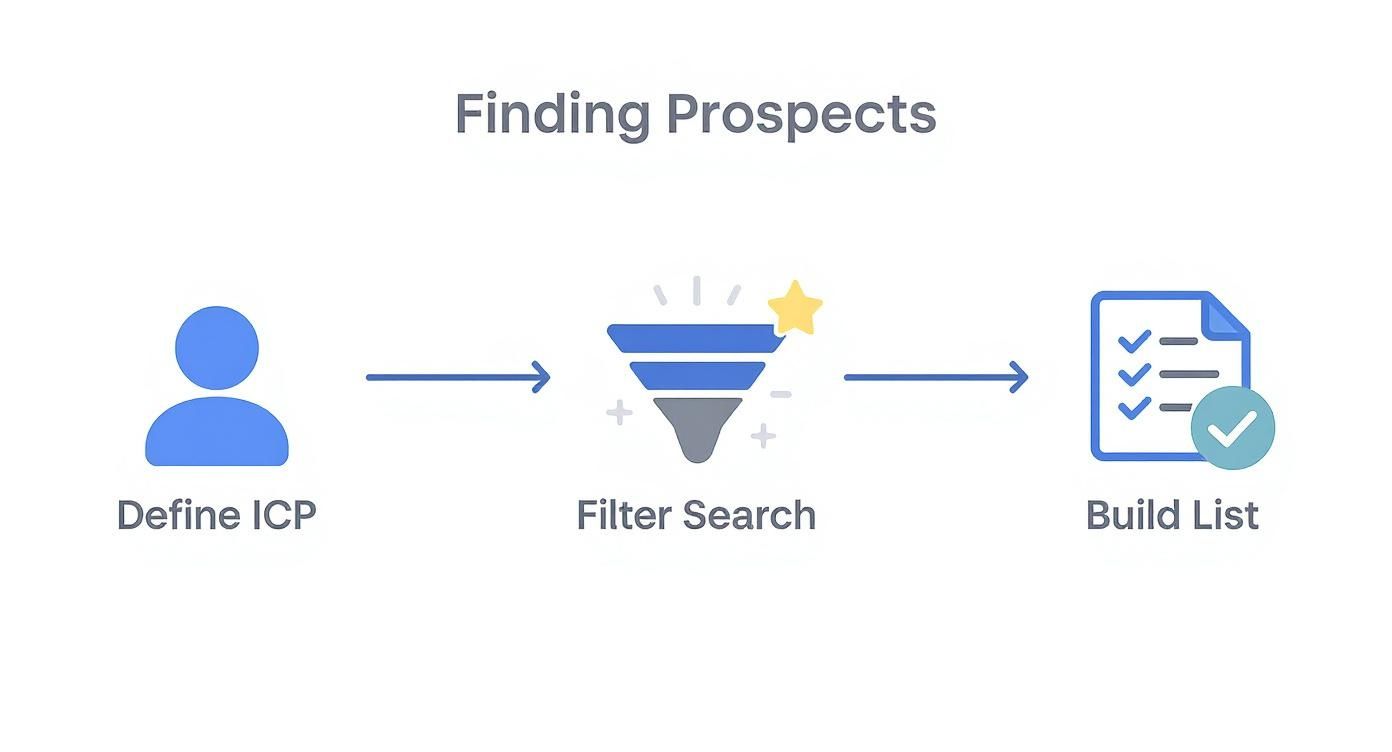
This flow really drives home the point: a killer content strategy always starts with knowing who you're talking to.
Choose Content Formats That Drive Engagement
Not all content formats are created equal on LinkedIn. To actually stop the scroll in a crowded feed, you need to mix things up. The key is to make your content easy to consume while packing a punch with clear, actionable value.
Here's a look at some of the most effective formats and how to think about them strategically.
Effective LinkedIn Content Types and Their Purpose
| Content Type | Primary Goal | Execution Tip |
|---|---|---|
| Simple Text Posts | Quick insights, strong opinions, storytelling | Use lots of white space to make it scannable. Your first sentence (the hook) is everything. |
| Carousels (PDFs) | Education, breaking down complex topics | Turn a "how-to" guide or listicle into 5-10 visually simple slides. The click-through signals high engagement. |
| Polls | Sparking conversation, market research | Ask a provocative question related to a common pain point. Always engage with voters in the comments. |
| Video | Building personal connection, demonstrations | Keep it short (under 90 seconds), add captions, and have a clear takeaway. Authenticity beats high production value. |
| Images/Infographics | Visual appeal, data sharing | Use clean, branded graphics to share a key stat, quote, or a simple framework. Make it easy to understand at a glance. |
Focus on mastering just one or two of these formats to start. A simple, value-packed text post done consistently will always beat a poorly designed carousel that you only post once a month.
Don't get bogged down trying to master every content format. Pick two that you're comfortable with and focus on executing them consistently. A simple text post that provides real value is far better than a poorly designed carousel.
The data backs this all up. LinkedIn is the undisputed king of B2B lead gen. A massive 89% of B2B marketers use it for this very purpose, and 62% of them report that it successfully generates leads for them.
When you look at its effectiveness, the platform is 277% more effective at lead generation than Facebook and Twitter combined. That's why an estimated 80% of all B2B social media leads come straight from LinkedIn.
By creating content that genuinely educates and solves problems, you naturally attract the right people and build the trust needed to turn a connection into a client.
Master Ethical Outreach That Gets Replies
Let's be honest: direct outreach is your single most powerful tool for generating leads on LinkedIn. But only if you do it right.
Forget the automated, spammy tactics that just burn bridges and wreck your reputation. We’re talking about authentic, personalized messaging that builds real relationships. The kind that actually gets replies.
This isn't just about being a good person; it's about being effective. Instead of blindly pitching strangers, you’ll learn how to start genuine conversations. You'll make prospects feel understood, not sold to. That’s the entire game.
Ditch the Pitch in Your Connection Request
This is the biggest mistake I see people make, and it kills your chances before you even start. Pitching in your very first message.
Your connection request has one goal: to get the person to accept. That's it. Any hint of a sales pitch will get you ignored or, worse, flagged as spam.
Your request needs to be about them, not you. The secret is finding a piece of common ground and leading with that. It instantly shows you’ve done your homework and have a real reason for wanting to connect.
Here are a few simple, effective ways to do this:
- Shared Connection: "Hi [Name], I see we both know [Mutual Connection's Name]. I'm always looking to connect with more experts in the [Industry] space and would love to add you to my network."
- Recent Post: "Hi [Name], I really enjoyed your recent post on [Topic]. Your point about [Specific Insight] was spot on. Would be great to connect and follow your work."
- Common Group: "Hi [Name], I saw your thoughtful comment in the [Group Name] group and wanted to connect. I'm always looking to network with others passionate about [Topic]."
See what’s happening here? None of these ask for anything. They are simple, genuine, and give a clear reason for the connection. You're respecting their time and their inbox, which makes them far more likely to click "Accept."
The goal of your connection request isn't to make a sale; it's to open a door. Lead with a genuine compliment or a point of commonality. Save the business talk for later.
Personalize Your First Message After They Connect
Once someone accepts your request, the clock is ticking. You need to follow up, but it has to continue the relationship-building vibe. Again, do not pitch them immediately.
Start by simply thanking them for connecting and gently nudging the conversation forward.
Your goal here is to transition from being a new connection to a familiar contact. The best way to do that? Offer a piece of value with zero strings attached.
For example, if you connected over a post they wrote about marketing analytics, your follow-up could be: "Thanks for connecting, [Name]! Speaking of marketing analytics, I just came across this fantastic article on tracking attribution that I thought you might find useful. Here's the link. Curious to hear your thoughts."
This simple act positions you as a helpful resource, not a salesperson. You're giving before you ask. This idea of reciprocity is a powerful psychological trigger that builds trust and goodwill almost instantly.
And it works. The average reply rate to LinkedIn messages is a staggering 85%—that's three times higher than traditional email. You can dig into more of the data in this in-depth statistical report on LinkedIn outreach.
Gracefully Transition to a Business Conversation
After a few value-driven exchanges, you can start to pivot the conversation toward business. This should feel like a natural next step, not an abrupt change of gears.
The key is to ask an open-ended question that’s related to a challenge you know you can solve. You're not pushing a solution; you're looking to uncover a need.
Here’s how that might look in practice:
- You: "By the way, I noticed on your profile that you lead the sales team at [Company Name]. I'm always curious—how are you and your team handling [Common Challenge] these days?"
This question is non-confrontational. It invites them to share their experience. If their response signals any frustration or highlights a problem, you now have a perfect, permission-based opening to suggest a call.
Your transition could be as simple as: "That's a challenge I hear a lot. I've actually helped a few other SaaS companies solve that exact problem. Would you be open to a quick 15-minute chat next week to see if I might be able to offer some ideas?"
And that's it. That’s how you generate real leads on LinkedIn without ever feeling like a sleazy salesperson.
Turn Engagement Into Warm Leads

Some of the best leads you'll ever get come from conversations you didn't even start. While outbound messages and content publishing are crucial, there's a massive, often-overlooked opportunity hiding in your daily activity on the platform.
This is where you shift from being a broadcaster to being a genuine community member. It’s about building the kind of trust that naturally turns into business, and the best part? It's completely free.
Add Value Through Strategic Commenting
The comments section is your secret weapon. Seriously.
Every time you leave a thoughtful comment on a post from a potential client or an industry leader, you’re putting your name, face, and expertise in front of a perfectly curated audience. This isn't about dropping lazy replies like "Great post!" or "Totally agree." That’s just noise.
To make this work, you have to actually add to the conversation. Your comments should be like mini-essays of value. Offer a unique perspective, ask a sharp follow-up question, or share a complementary insight. The goal is to be seen as a helpful expert, not just another follower.
Here’s a simple, affordable system to get started:
- Identify 10-15 target accounts or influencers whose audiences are a perfect match for your ideal customer.
- Spend 15 minutes each day scrolling through their latest posts.
- Leave at least 3-5 thoughtful comments that add real value and spark more discussion.
This consistent, value-first activity gets you seen in all the right places. People start recognizing your name and associating you with smart insights, making them way more receptive when you eventually reach out to connect.
Your comments are a free, highly targeted form of advertising for your personal brand. Each thoughtful reply acts as a billboard for your expertise, placed directly in front of your ideal audience.
Use LinkedIn Groups as a Listening Tool
Most people get LinkedIn Groups all wrong. They treat them as a place to dump links to their latest blog post, which is the fastest way to get ignored.
Instead, think of groups as live focus groups where your ideal clients are actively talking about their biggest problems and asking for help.
Your job here is to be a problem-solver, not a self-promoter. Join groups where your customers are actually active and just listen. Look for questions you can answer or discussions where you can offer a helpful perspective. Consistently providing solutions without asking for anything in return builds an incredible reputation as a go-to resource. To really make this work, it helps to apply proven social media engagement strategies that focus on genuine interaction.
For example, imagine you're a cybersecurity consultant in a group for small business owners. You see someone ask about protecting company data. Instead of pitching your services, you jump in and provide a detailed, actionable answer right there in the comments.
That kind of generosity builds immense goodwill. It often leads to members checking out your profile or reaching out directly when they need to hire an expert.
By making real engagement a core part of your daily routine, you create a powerful inbound lead engine that runs on authenticity and value.
Pour a Little Fuel on the Fire with Paid Strategies
Organic growth is your foundation—it’s honest, builds trust, and costs nothing but your time. But once you've got something that works, a small, strategic investment can pour gasoline on that fire and get you results fast.
Think of it this way: when you have a post that’s already getting great organic engagement, you’ve struck gold. You’ve found a message that resonates. Instead of just letting its organic reach fizzle out, you can put a little money behind it to make sure your exact ideal clients see it. This is where LinkedIn's paid tools stop being an expense and start being an efficient, affordable growth lever.
Amplify Your Greatest Hits
The easiest and most direct way to get started is with Sponsored Content. This simply means "boosting" your best-performing organic posts, pushing them directly into the feeds of a hand-picked audience.
You don't need a huge budget for this to work. Precision beats volume every time.
- Who are you targeting? Go way beyond basic demographics. Get granular. Target people by their specific job title, the industry they work in, and even their company size. This ensures every dollar you spend is laser-focused on a potential customer.
- How much should you spend? Start small and test the waters. You can set daily budgets as low as $10. Honestly, a budget of just $50-$100 can give a proven post some serious legs with a niche audience.
By only promoting content that has already earned its keep organically, you're taking all the guesswork out of the equation. You aren't paying to see if a message works; you're paying to get a message that you know works in front of more of the right people. It's the lowest-risk, highest-reward way to dip your toes into paid ads.
Make it Stupidly Simple to Convert with Lead Gen Forms
Now for one of the most powerful and surprisingly affordable tools in LinkedIn's entire playbook: the Lead Gen Form.
Here’s the typical, broken process: A prospect sees your ad, clicks a link, gets sent to your website, has to fill out a clunky form, and… poof. They’re gone. Every step you add creates friction and loses you leads.
LinkedIn's Lead Gen Forms fix this. When someone clicks the call-to-action on your ad, a form pops up right there in LinkedIn and it's already pre-filled with their profile information—name, email, job title, company. All they have to do is hit "Submit." It reduces the friction to nearly zero.
This simple change can completely transform your conversion rates. The easier you make it for someone to say yes, the more often they will.
The numbers don't lie. LinkedIn's own data shows their Lead Gen Forms hit a staggering 13% average conversion rate. Compare that to the industry-wide average of 2.35% for traffic sent to a traditional landing page.
That’s a 5x improvement. Practically speaking, it means about one out of every seven prospects who click your ad will convert. If you want to dive deeper, you can check out more of the breakthrough data on LinkedIn lead forms and see just how much they outperform other methods.
By combining dead-simple targeting with these frictionless forms, you can generate incredibly high-quality leads on LinkedIn without breaking the bank. You’re ensuring every dollar you spend is working as hard as possible to grow your business.
Common Questions About LinkedIn Lead Generation
Even with the best playbook in hand, a few practical questions always pop up once you start digging in. Let's tackle some of the most common ones I hear, so you can move forward with confidence.
How Many Connection Requests Should I Send Per Day?
This is a classic one. LinkedIn has weekly limits to clamp down on spam, but hitting the maximum number is the wrong goal entirely. Chasing volume is a rookie mistake.
Instead, think quality over quantity. Aim for 10-15 highly personalized connection requests per day. This isn't just more ethical; it's a sustainable approach that nets a much higher acceptance rate. Sending hundreds of generic requests is a fast track to getting your account flagged.
Trust me, consistency with a smaller, targeted group is far more powerful than a "spray and pray" approach.
What Are the Most Important Metrics to Track?
It’s easy to get hypnotized by vanity metrics. Likes and followers feel good, but they don't pay the bills. To figure out if your strategy is actually working, you need to focus on the numbers that tie directly back to business goals.
Here are the key performance indicators (KPIs) I watch like a hawk:
- Profile Views: Are your posts and comments making people curious enough to click on your name? This is the first sign of life.
- Connection Request Acceptance Rate: This is a direct measure of how well your targeting and personalization are landing. A low rate means something's off.
- Reply Rate to Messages: This tells you if your follow-up messages are hitting the mark. Are you providing value, or just making noise?
- Conversations or Sales Calls Booked: This is the ultimate metric. It tells you if all this effort is translating into real business opportunities.
Track these weekly. You'll quickly see what's working and what needs tweaking. Our team is always breaking down these kinds of insights over on the Contentide blog about LinkedIn growth.
Is Sales Navigator Worth the Cost?
If you're serious about making LinkedIn a primary lead generation channel, the answer is a strategic "it depends." Sales Navigator isn't magic, but its advanced search filters and higher outreach limits can save you a ton of time.
Here's my advice: First, master all the free, ethical, and organic strategies in this guide. Once you have a proven process that generates results, then you can evaluate if Sales Navigator is an affordable next step for you. It should be seen as a way to accelerate your success, not a shortcut to it.
It's a tool that amplifies a solid strategy, not a replacement for one. For those who want to dive even deeper, this article lays out a comprehensive LinkedIn lead generation strategy that can add even more context.
Ready to stop staring at a blank page and start publishing content that attracts clients? Contentide is an AI-powered content generator designed specifically for LinkedIn. It helps you create authentic, high-performing posts in minutes, so you can stay consistent and grow your network. Try it now and see how easy it can be to build your brand. Learn more at https://contentide.com.
Hope you found this helpful. Feel free to share your thoughts.